
Tuesday, August 11, 2026
Hello world! Welcome to today’s dealer digest.
This edition focuses on three areas that support steady dealership growth:
- Turning more inquiries into conversations.
- Making marketing easier to manage.
- Helping drivers feel more confident and prepared.
You do not need to change everything at once. Start with one action from each section. Review the results at the end of the week.
Growth Hack of the Day: Improve the First Five Minutes
A new lead is most useful when your team can respond quickly and consistently. A simple CRM workflow can help make sure online inquiries do not sit unanswered.
Your first goal is not to sell the vehicle immediately. Your first goal is to confirm that the customer received a response and make the next step clear.
Set up a basic new-lead workflow
Use your CRM to trigger the following steps:
-
Send an immediate acknowledgment.
Thank the customer for reaching out. Confirm the vehicle or service they asked about. -
Offer two simple next steps.
For example: “Would you prefer a quick call or a text conversation?” -
Assign the lead to one team member.
Avoid sending the same lead to several people without clear ownership. -
Create a follow-up task.
Set a task for the assigned salesperson if the customer does not respond. -
Record the result.
Mark whether the lead was contacted, whether an appointment was set, and whether the customer arrived.
A useful first message can be short:
Thanks for contacting [Dealership Name]. We received your question about the [vehicle]. Would you like to discuss it by text or schedule a quick visit?
Keep messages direct. Avoid sending a long list of links or asking several questions at once.

CRM Automation Tip: Build a Three-Message Sequence
Many dealership leads require more than one contact. A simple sequence can keep follow-up organized while still allowing your team to respond personally.
Try this three-message schedule:
Message one: Initial response
Send this as soon as the lead enters the CRM.
- Confirm the customer’s request.
- Introduce the assigned team member.
- Offer a call, text, or appointment.
Message two: Helpful information
Send one or two days later if the customer has not responded.
- Share a vehicle walkaround.
- Explain one safety or convenience feature.
- Include current availability if it is confirmed.
- Ask whether the customer has a trade-in.
Message three: Low-pressure check-in
Send several days later.
We wanted to check in. Are you still considering the [vehicle], or would another option be more helpful?
This wording gives the customer an easy way to respond. It also helps your sales team learn whether the lead is active, delayed, or no longer interested.
Add service and ownership reminders
CRM automation should not stop when a vehicle is sold. Consider adding reminders for:
- First service visit.
- Oil change or scheduled maintenance.
- Tire checks before winter or summer travel.
- Lease or finance milestones.
- Trade-in and upgrade opportunities.
- Review requests after a completed visit.
Before launching any automated message, review the timing, language, and opt-in requirements. Keep the customer’s communication preferences up to date.
For more information, read CRM Integration vs. Social Media Management.
Marketing Win: Make Social Content Easier to Repeat
Your dealership does not need a new campaign every day. A repeatable content plan is easier for your team and easier for customers to understand.
Use four basic content categories:
- Inventory: New arrivals, vehicle walkarounds, and feature highlights.
- People: Sales consultants, technicians, service advisors, and customer stories.
- Community: School partnerships, local events, sponsorships, and charity activities.
- Education: Maintenance reminders, vehicle safety features, and driver tips.
Use a simple weekly schedule
Monday: Feature one vehicle and one practical benefit.
Tuesday: Share a short customer or team story.
Wednesday: Post one driver education tip.
Thursday: Highlight service or maintenance.
Friday: Share a community activity or weekend offer.
Each post should have one clear action. Examples include:
- View the vehicle.
- Send a question.
- Schedule service.
- Visit the dealership.
- Learn more about a community program.
Use clear photos and short captions. A 15-second phone video can be enough. Focus on one vehicle feature at a time, such as cargo space, visibility, driver-assistance technology, or fuel efficiency.

Community Marketing: Connect Visibility With a Useful Program
Community sponsorships can support brand awareness when they provide a clear benefit to local families.
Drive Fear Free helps create partnerships between car dealers and high schools through esports sponsorships and small-footprint simulator programs. These programs give dealers a way to support students while creating a positive local presence.
A dealership can make the program easier to measure by using a simple tracking plan:
- Create a landing page for the school or community program.
- Use a unique QR code on event signs.
- Add the program as a lead source in the CRM.
- Record event attendance and inquiries.
- Follow up with interested families only when they request more information.
- Share approved photos and updates on social media.
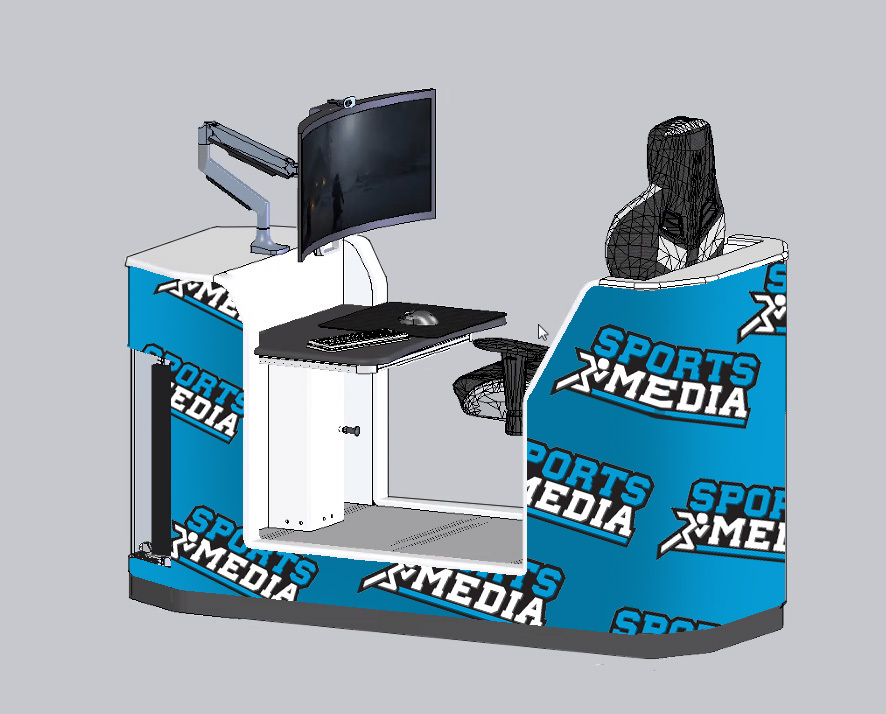
This approach connects awareness to measurable activity without turning a school program into a sales event. Keep the focus on student participation, safe driving, and community support.
You can review the dealer marketing programs offered by Drive Fear Free to explore social media, promotional events, email marketing, SEO, and safety-focused campaigns.
Driver Confidence Tip: Teach One Skill at a Time
Driver education content works best when it is specific. Avoid trying to explain every safety feature in one video or workshop.
Choose one topic and explain:
- What the feature or skill does.
- When it may be useful.
- What the driver still needs to do.
- What common mistake to avoid.
For example, a short lesson about lane-keeping assistance can explain that the system may help provide steering support, but the driver must continue watching the road and remain responsible for the vehicle.
Other useful topics include:
- Safe following distance.
- Adjusting mirrors and seating position.
- Checking blind spots.
- Reducing distractions.
- Driving in rain, snow, or poor visibility.
- Understanding automatic emergency braking.
- Preparing a vehicle for a long trip.
- Knowing when tires need attention.
A dealership can share one driver education post each week. Service advisors can also use the same information during customer visits.

For broader safety education resources, visit the National Highway Traffic Safety Administration and the Insurance Institute for Highway Safety.
Five-Minute Manager Scoreboard
At the end of each day, review five numbers:
- New leads received.
- Leads contacted.
- Appointments set.
- Appointments completed.
- Sold or closed opportunities.
Then ask two questions:
- Which source produced the strongest conversations?
- Where did a lead stop moving?
If many leads are not contacted, review assignment rules and response times. If customers are contacted but appointments are not being set, review the message and the offer. If appointments are set but customers do not arrive, improve reminders and confirm the appointment details.
Keep the review short. The purpose is to identify one process improvement for the next day.
Start With One Small Change
Here is a practical plan for today:
- Check that every new website lead receives an automatic acknowledgment.
- Create a three-message follow-up sequence.
- Schedule one social media post about a vehicle feature.
- Share one driver safety tip.
- Review Contact, Set, and Show results with your sales manager.
These steps support lead generation, customer service, and community trust. They also create information your team can use to improve future campaigns.
For more education and driver training information, visit the Drive Fear Free Education page. To learn more about the company and its services, visit the About Drive Fear Free page.
Author: Victoria Teresa Alescio
#DriveFearFree #DealershipMarketing #AutomotiveMarketing #CRMAutomation #LeadGeneration #DriverEducation #DealershipGrowth #SafeDrivers #CommunityMarketing